How to Run This Case
-
1Log in at fincw.com and access Break Analytics. Click the Non-Spouse (DB or EDB) module under IRMD 2020+ Traditional.
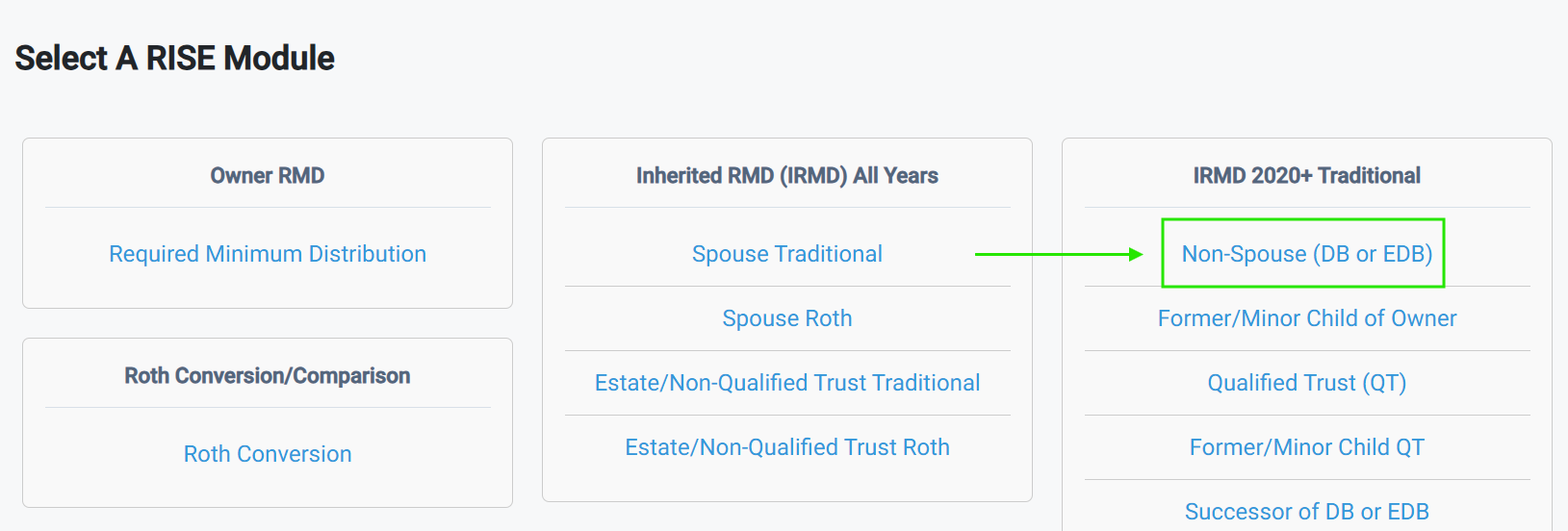
-
2Complete the General form. The Prepared For field should be the name of your client, the beneficiary.
-
3Complete the Deceased and Beneficiary form. No client in mind? Use this example:
Deceased IRA Owner Birth Month and Year: 4/1965
Deceased IRA Owner Year of Death (2020-2025): 2025
Beneficiary Name: Jon Doe
Beneficiary Date of Birth: 1/1981
-
4Complete the Inherited IRA form. If you are following along with the example data, use $500,000 for the Prior I-IRA Year End Value and keep 6% as the ROI. Skip Distribution Methods for now.
-
5Move to the Illustration/Analysis form and click Generate PDF.
Now Open the Illustration to Page 3
The education at the top tells you exactly what beneficiary category your client falls into and why – based entirely on what you entered. You did not have to know the answer going in.
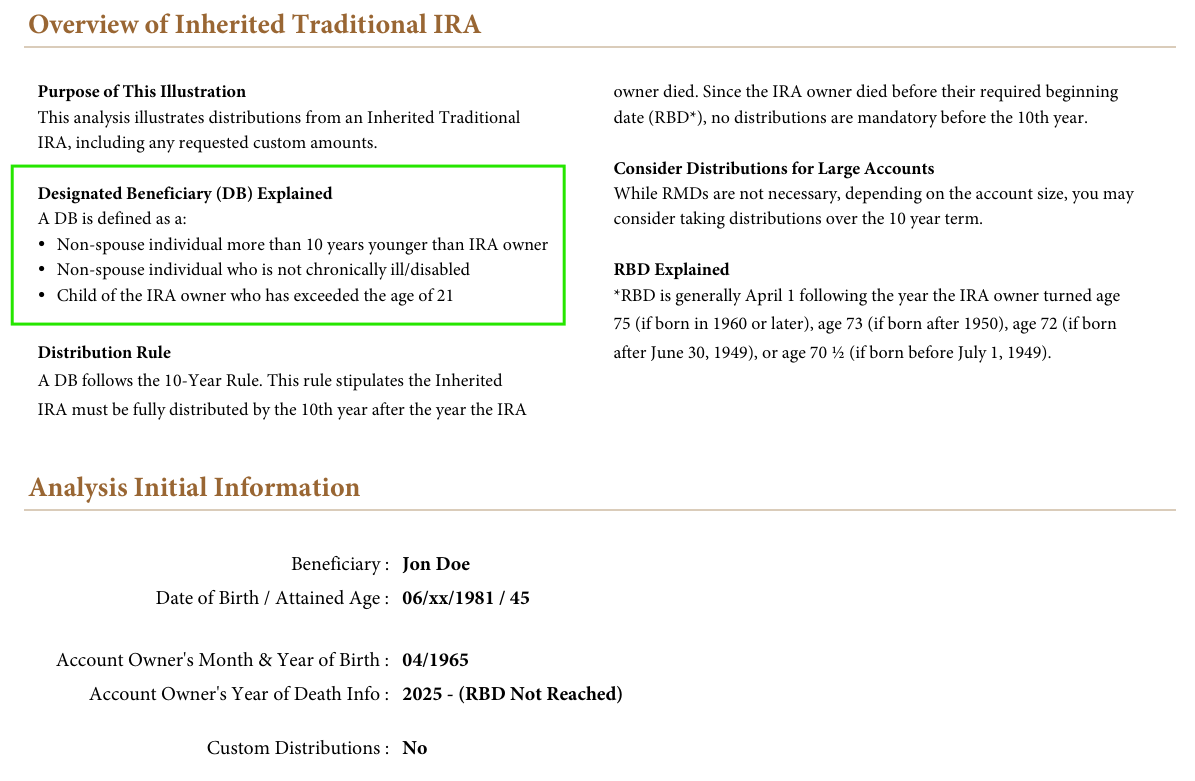
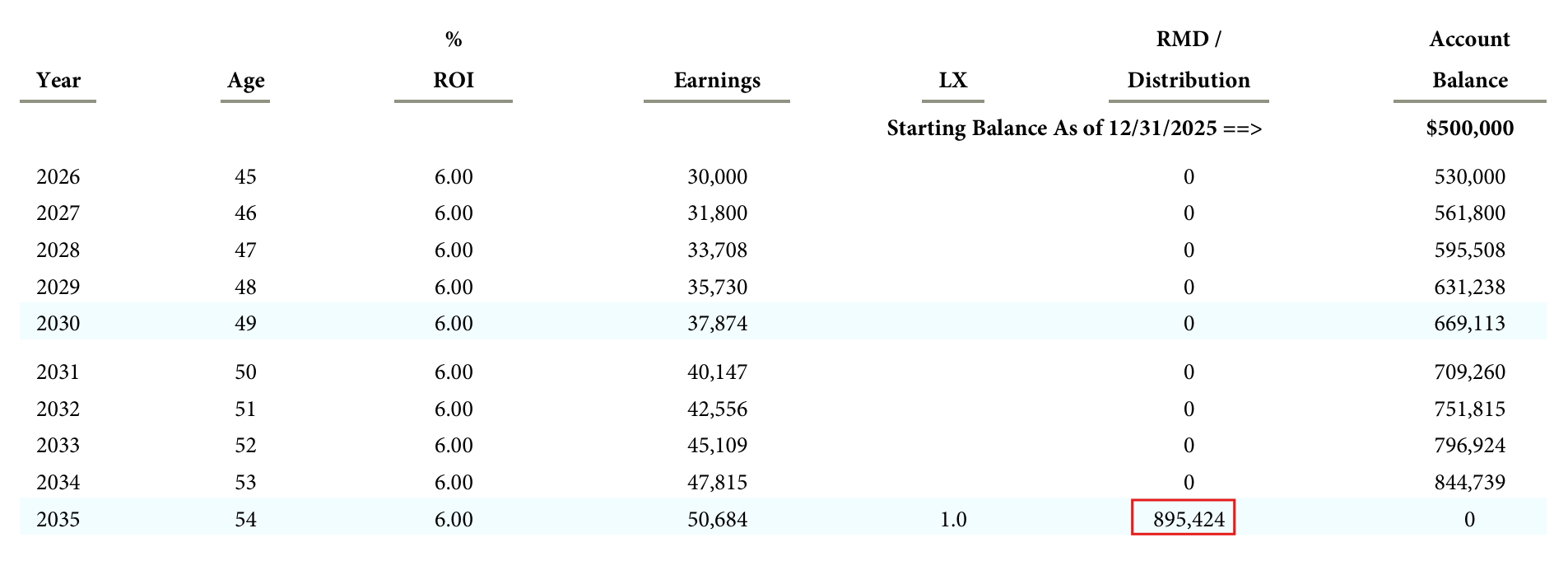
If you used the example data, you are looking at a Designated Beneficiary (DB) subject to the 10-year rule with no annual Required Minimum Distributions (RMDs) necessary in years 1-9. The original owner had not reached their RBD, so no distributions are necessary until year 10. Page 4 shows what waiting costs them – forcing a full $895,424 distribution as a single taxable event in year 10.
If you used your own client’s data, page 3 will show one of three outcomes:
- DB, owner died before RBD – 10-year rule, no annual RMDs in years 1-9, full distribution in year 10
- DB, owner died on or after RBD – 10-year rule, annual RMDs in years 1-9, full distribution in year 10
- Non-spouse Eligible Designated Beneficiary (EDB) – chronically ill, disabled, or not more than 10 years younger, the same age, or older than the IRA owner – life expectancy option applies
Each one produces different education based on the facts you entered.
The IRS Plan
What you just ran is the IRS Plan – the distribution schedule the IRC requires if no strategy is selected. This is a useful starting point because it shows the minimum your client is required to do. From here you can help them build the Client Plan based on their specific situation and goals by selecting Custom Distributions of Distribution Smoothing (DBs only) in the Distribution Methods from Step 4.
Questions on navigating the software? Schedule with Thomas here
Want to walk through a client situation? Schedule with Patrick here